

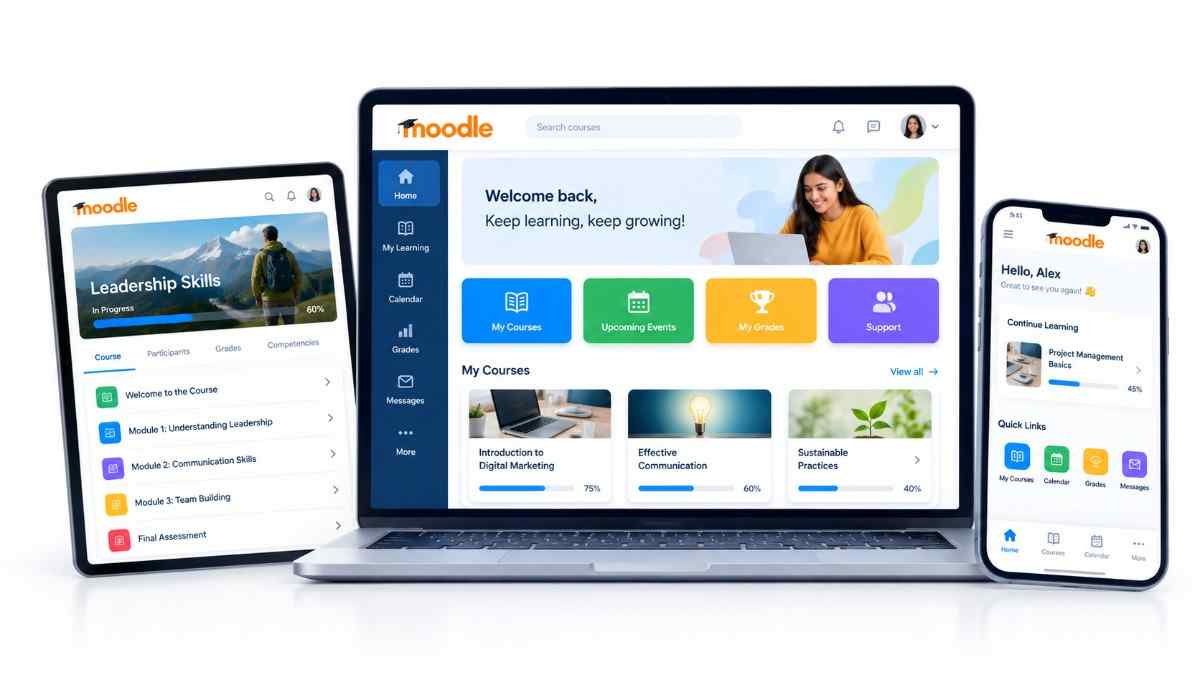
Moodle UI & UX Design That Puts Learners First

Create a Moodle environment that reflects your brand and provides an intuitive experience for learners, trainers and administrators.

Moodle Theme UI UX Services
Design Approach

Make Moodle Easier to Use

moodle.experience.canvas
Layer 01

A powerful LMS can still feel complicated when navigation, dashboards and course experiences are not designed around the user.

#1177d1 #F98012 Inter

moodle.experience.canvas
Layer 02

Our Moodle theme and UI/UX services help transform the Moodle interface into a more intuitive, consistent and engaging learning environment.

Nav UX A11y Responsive
Brand Navigation Dashboard Accessibility

What We Can Design

A complete theme and UI/UX service that covers every layer of the Moodle interface.

Custom Moodle Themes

Create a visual experience aligned with your organisation's brand.

Learner Dashboards

Design dashboards that make relevant courses, progress and learning activities easier to access.

Navigation & Information Architecture

Organize Moodle content and navigation to make the learning journey simpler.

Course Page Design

Improve how courses, resources, activities and assessments are presented.

Responsive Experience

Create interfaces that work effectively across desktop, tablet and mobile devices.

Accessibility & Usability

Consider usability and accessibility requirements when designing the Moodle experience.

Benefits of Better Moodle UX

A well-designed Moodle experience improves adoption, satisfaction and learning outcomes.

01

Easier Learning

Help learners find courses, resources and activities with less friction.

02

Stronger Brand Identity

Create a Moodle environment that feels consistent with your organisation.

03

Better Engagement

Make the learning experience clearer, more intuitive and easier to navigate.

04

Improved Usability

Design experiences around real learner and administrator needs.

Our UI/UX Process

A structured five-step process that takes you from user insights to a polished, implemented Moodle interface.

01

Understand

Study your users, brand and learning requirements.

02

Structure

Plan navigation, content structure and key user journeys.

03

Design

Create the visual and interface experience.

04

Develop

Implement the approved design within Moodle.

05

Test & Refine

Validate usability, responsiveness and functionality.

Certified Moodle Partner

Why Dynamic Pixel?

Our UI/UX team works alongside Moodle developers and eLearning specialists, allowing us to connect design decisions with the actual technical capabilities of your LMS.

The result is not simply a better-looking Moodle interface, but an experience designed to work for your users.

UI/UX + Development eLearning Expertise Technical Alignment User-Focused Design

Frequently Asked Questions

Can you create a completely branded Moodle theme?

Yes. Moodle themes can be designed around your organisation's brand and user experience requirements.

Can you redesign our existing Moodle interface?

Yes. We can review your existing interface and identify opportunities for improvement.

Can you customize learner dashboards?

Yes. Dashboards can be designed around learner roles, content and workflows.

Can you improve Moodle navigation?

Yes. Navigation and information architecture can be redesigned to create a clearer user journey.

Is mobile responsiveness included?

Responsive design can be incorporated into the Moodle UI/UX approach.

Ready to Improve Your Moodle Experience?

Let's discuss your users, brand and LMS requirements.

WhatsApp Call Us Email Us