Imagine launching a comprehensive training program for your entire organization in just days—not months. Picture employees accessing courses anytime, anywhere, on any device. Envision real-time tracking of learner progress and measurable performance improvements. This isn’t science fiction; it’s the reality of Moodle LMS.
If you’re wondering “What is Moodle LMS?” and whether it’s the right fit for your organization, you’ve come to the right place. In this comprehensive guide, we’ll break down everything you need to know about Moodle Learning Management System, from its core features to real-world implementation strategies that deliver results.
WHAT IS MOODLE LMS?
Understanding the Basics
Moodle LMS stands for Modular Object-Oriented Dynamic Learning Environment. But let’s forget the technical jargon for a moment—here’s what it really means: Moodle is an open-source learning management system that transforms how organizations deliver training, education, and professional development.
Think of it as a digital classroom that never closes. Moodle LMS provides a centralized online platform where:
- Instructors create and organize course content
- Learners access training materials and complete assignments
- Administrators manage users, track progress, and generate performance reports
- Organizations build a culture of continuous learning
How Moodle LMS Works
The beauty of a learning management system like Moodle is its simplicity. Here’s how it works:
Step 1: Setup & Configuration Your administrator sets up Moodle, customizes the interface to match your brand, and creates the organizational structure (departments, teams, user roles).
Step 2: Course Creation Instructors use Moodle’s intuitive course builder to upload content—videos, documents, quizzes, assignments, discussion forums. No coding required.
Step 3: User Enrollment Learners enroll in courses (manually or automatically). They receive login credentials and immediate access to all course materials.
Step 4: Learning Experience Learners progress through the course at their own pace (or according to your schedule). They complete lessons, take quizzes, participate in discussions, submit assignments.
Step 5: Progress Tracking Moodle automatically tracks completion rates, quiz scores, time spent, and engagement metrics. Real-time dashboards show progress to learners, instructors, and administrators.
Step 6: Reporting & Analysis Detailed reports reveal training effectiveness, identify skill gaps, and show ROI. Use this data to continuously improve your training programs.
WHO SHOULD USE MOODLE LMS?
Perfect For Organizations That Need:
- Cost-Effective Learning Solutions Unlike expensive proprietary systems ($10K-100K+ annually), Moodle is free. You pay only for hosting and customization—typically 70-80% less than competitors.
- Complete Customization Control With Moodle’s open-source code, you’re not locked into vendor features. Customize everything to match your exact business needs and branding.
- Scalability Without Limits From 50 learners to 50,000, Moodle scales effortlessly. Many Fortune 500 companies trust Moodle with thousands of concurrent users.
- Flexible Deployment Options Deploy on your own servers, cloud platforms (AWS, Azure), or use managed Moodle hosting. You have complete control.
- Strong Community Support With over 200 million users globally and a thriving developer community, you’ll find solutions to almost any challenge.
Industries Leveraging Moodle LMS:
- Corporate: Employee onboarding, compliance training, skills development, leadership programs
- Education: K-12 schools, universities, online education providers
- Healthcare: Medical training, compliance certification, continuing education
- Government: Civil service training, regulatory compliance
- Non-Profit: Volunteer training, organizational development
- Professional Services: Certification programs, client training
MOODLE LMS FEATURES
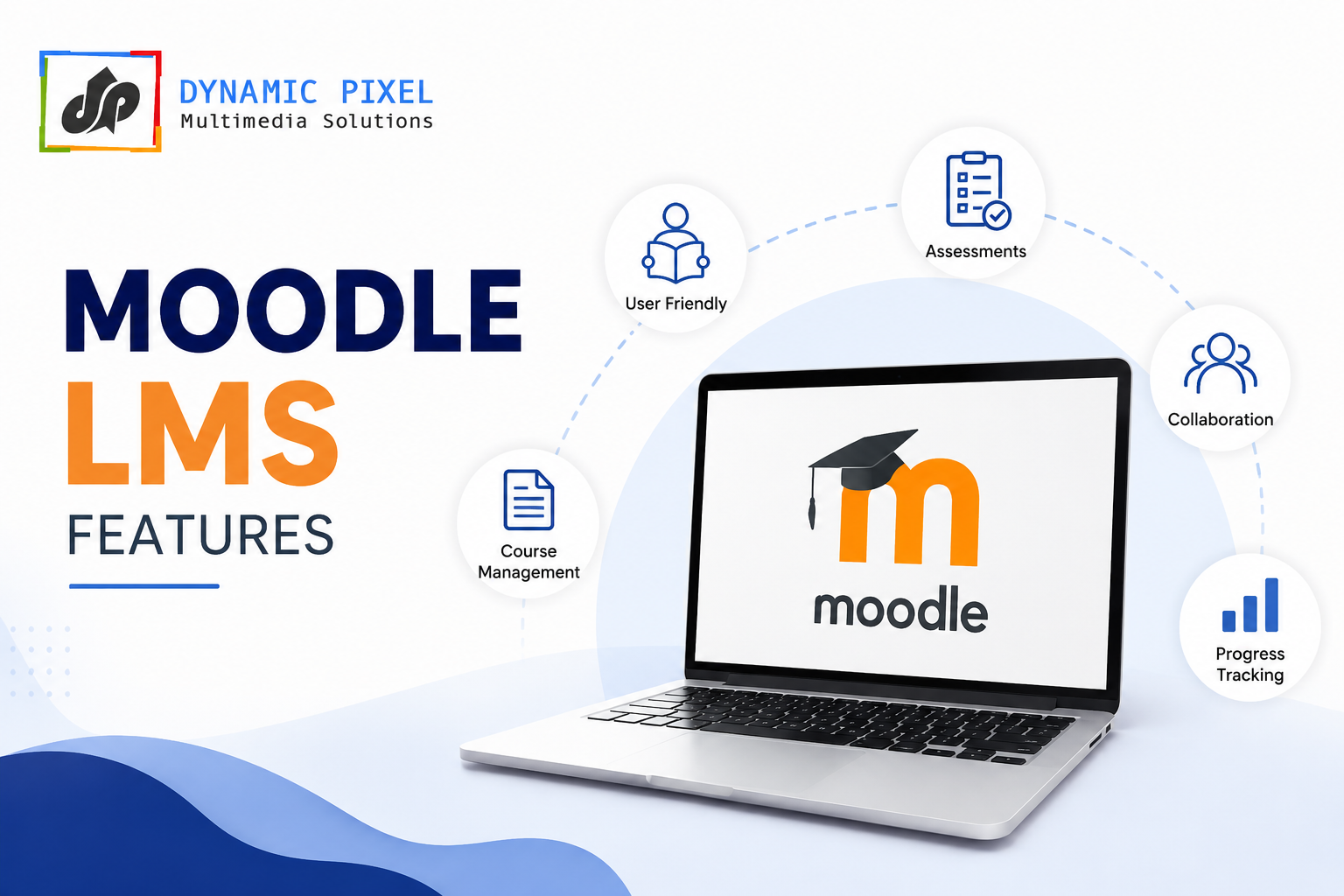
Core Features That Drive Results
1. Course Management & Content Creation
Create engaging courses with ease. Upload videos, PDFs, interactive content, or use Moodle’s built-in SCORM player. Organize content into topics, weeks, or competencies.
2. Assessment & Testing Tools
Design multiple-choice quizzes, essays, drag-and-drop activities, matching questions, and more. Set up randomized question banks for fair testing. Configure automatic grading and instant feedback.
3. Interactive Learning Activities
Forums for discussion, wikis for collaboration, chat for real-time interaction, wikis for group projects. Turn passive learning into active engagement.
4. User Management & Role-Based Access
Manage thousands of users with granular permission controls. Create custom roles (Instructor, Manager, Learner, etc.) and assign permissions at course or system level.
5. Progress Tracking & Completion Monitoring
Automatic tracking of course completion, quiz attempts, assignment submissions. Real-time dashboards show learner progress. Conditional release gates keep learners on track.
6. Comprehensive Analytics & Reporting
Built-in reports cover completion rates, time spent, quiz performance, engagement metrics. Export data for deeper analysis. Track ROI with custom reports.
7. Communication Tools
Messaging system for instructor-learner communication. Announcements broadcast to entire courses. Email notifications keep everyone informed. Discussion forums enable peer learning.
8. Mobile-Responsive Design
Moodle works seamlessly on phones, tablets, and desktops. Mobile app available for iOS and Android. Learners access courses on-the-go.
9. Integration Capabilities
Integrates with HR systems, payroll software, video conferencing (Zoom, Teams), single sign-on providers. Synchronize user data automatically.
10. Certification & Badges
Award digital badges for achievement recognition. Issue certificates upon completion. Boost learner motivation and document skill development.
MOODLE LMS BENEFITS
Business Benefits You’ll Experience
Increased Training Effectiveness
Structured learning paths guide learners systematically. Assessments measure understanding. Analytics identify who needs additional support. Result: Better knowledge retention and application.
Significant Cost Savings
No licensing fees. Eliminate expensive travel for in-person training. Reduce time away from work. One instructor can train hundreds simultaneously. Typical ROI: 300-500% within 18 months.
Time Efficiency
Learners complete training on their schedule. No scheduling conflicts. Reduce onboarding from weeks to days. Quick course updates reach all learners instantly.
Global Reach
Train employees worldwide in their local languages. No geographical limitations. Coordinate across time zones effortlessly. Perfect for distributed workforces and remote teams.
Measurable Results
Track completion rates, assessment scores, time-to-competency. Identify top and struggling learners. Measure training impact on business metrics. Justify training investments to leadership.
Security & Compliance
SCORM compliance for standards adherence. Role-based access controls. Audit trails for regulatory requirements. Secure user authentication options.
Rapid Deployment
Go live within days, not months. Quick course development. Rapid updates and changes. Faster time-to-value.
OPEN SOURCE LMS ADVANTAGES (Why Open Source Matters)
What Open Source Means (In Simple Terms)
Open source software has publicly available source code. You own the system. No vendor lock-in. Make changes whenever needed.
Competitive Advantages of Open Source
| Advantage | What It Means | Business Impact |
|---|---|---|
| Freedom & Control | Modify code to your needs | Customize without waiting for vendor updates |
| Cost | No licensing fees | 70-80% cost savings vs. proprietary solutions |
| Transparency | View actual code | Know exactly how your data is handled |
| Community | 200M+ global users | Extensive plugins, themes, and support |
| No Vendor Lock-In | Export data anytime | Switch hosts or platforms without penalty |
| Flexibility | Adjust features as needs change | Grow without infrastructure limitations |
| Long-Term Viability | Controlled by global community | Won’t disappear if company goes bankrupt |
MOODLE LMS FOR DIFFERENT USE CASES
Moodle LMS for Corporate Training
The Challenge: Companies need to train thousands of employees on compliance, product knowledge, and skills without disrupting daily operations.
How Moodle Solves It:
- Create mandatory compliance courses accessible to all employees
- Track completion for audit purposes
- Use branching logic: employees see different content based on their role
- Generate completion certificates automatically
- Reduce training time from weeks to days
Real-World Example: A mid-size company trained 500 employees on new software in 2 weeks using Moodle. Without it, the process would have taken 3 months, requiring multiple trainer sessions.
Moodle LMS for Employee Training & Development
The Challenge: Employees need continuous skill development, but training budgets are limited. Organizations want trackable, measurable growth.
How Moodle Solves It:
- Build a library of courses on technical and soft skills
- Let employees self-direct their learning path
- Track time-to-competency for each skill
- Identify skill gaps across departments
- Create career development pathways
The Outcome: 40% faster skill acquisition, 25% improvement in internal promotions.
Moodle LMS for Schools & Educational Institutions
The Challenge: Educational institutions need to support diverse learning styles, deliver content across multiple formats, and measure student progress.
How Moodle Solves It:
- Hybrid learning: combine in-class and online
- Interactive activities and gamification keep students engaged
- Automated grading saves teachers hours weekly
- Parents access student progress portals
- Accessible to students with disabilities (WCAG compliant)
Moodle LMS for Businesses (Small to Enterprise)
The Challenge: Growing businesses need scalable solutions. They can’t afford expensive enterprise systems. They need something that grows with them.
How Moodle Solves It:
- Start small: host on a shared server
- Scale easily: add users without infrastructure overhaul
- Add plugins as needs evolve
- Support multi-company structures if you have subsidiaries
- Maintain budget predictability
MOODLE LMS FEATURES IN DETAIL
Advanced Content Creation
Moodle supports multiple content formats. Upload videos, embed PDFs, create interactive H5P activities, add YouTube content, or design complex branching scenarios. Content can be simple or sophisticated—the choice is yours.
The Learning Experience: Learners engage with multimedia content that matches their learning style. Retention improves by 65% with multi-format content versus text-only.
Intelligent Assessment & Feedback
Design assessments that matter. Use various question types. Create question banks for randomized quizzes (fair testing). Set up adaptive quizzes that adjust difficulty based on performance.
The Value: Instant feedback helps learners understand mistakes immediately. Instructors save hours on grading. Detailed reports show learning patterns.
Gamification & Engagement Tools
Award points for activities. Create leaderboards (friendly competition). Issue badges for achievements. Add progress bars. Make learning rewarding.
The Impact: Gamification increases engagement by 34% and completion rates by 27%.
Compliance & Audit Trails
Every action is logged. Track who accessed what content and when. Maintain complete audit trails for regulatory compliance. Perfect for industries requiring strict training documentation (healthcare, finance, legal).
MOODLE LMS VS. COMPETITORS (Comparison Table)
Learning Management System Comparison
| Feature | Moodle LMS | Proprietary Systems | Hosted LMS | In-House Development |
|---|---|---|---|---|
| Cost | $0-5K/year | $30-100K+/year | $10-50K/year | $50-200K+ to build |
| Setup Time | Days to weeks | Weeks to months | Days to weeks | Months |
| Customization | Unlimited | Limited to vendor options | Limited | Fully customizable |
| Scalability | Excellent (any size) | Good | Excellent | Depends on design |
| Open Source | Yes | No | No | Possible |
| Community Support | Excellent (200M users) | Vendor dependent | Vendor dependent | Your own team |
| Data Ownership | Complete control | Vendor controls | Vendor controls | Your own |
| Integration | Easy (plugins available) | Limited | Good | Custom work needed |
| Training | Extensive resources | Vendor provided | Vendor provided | Internal training |
| Time to ROI | Fast (3-6 months) | Moderate (6-12 months) | Fast (2-4 months) | Slow (12+ months) |
Verdict: Moodle LMS wins on cost and flexibility. Hosted solutions win on convenience. Custom development wins on uniqueness but loses on ROI.
MOODLE LEARNING MANAGEMENT SYSTEM BENEFITS
Measurable Business Impact
Organizations implementing Moodle LMS typically experience:
Knowledge Retention: 65% improvement with interactive content Training Time Reduction: 40-60% faster onboarding Cost Savings: 70-80% less than proprietary solutions Compliance: 99% course completion in compliance training Employee Engagement: 34% higher with gamification features Time-to-Productivity: 50% faster with structured learning paths
Soft Benefits (Equally Important)
- Improved Organizational Culture: Continuous learning mindset
- Better Employee Satisfaction: Career development opportunities
- Competitive Advantage: Skilled workforce maintains edge
- Risk Reduction: Documented training reduces liability
- Knowledge Preservation: Critical knowledge isn’t lost when people leave
WHY CHOOSE MOODLE LMS?
Making the Right Choice for Your Organization
Choosing a learning management system is a significant decision. Here’s why Moodle stands out:
- Proven Track Record Over 15 years in the market. 200+ million users globally. Trusted by leading universities, corporations, and governments. If it works for MIT, Oxford, and Microsoft, it can work for you.
- Future-Proof Investment Open-source technology doesn’t disappear with company bankruptcies. Your learning investment is protected long-term. As needs evolve, Moodle grows with you.
- True Total Cost of Ownership No surprise licensing fees. No vendor lock-in. Predictable costs. Compare $5K annual investment to $100K+ for competitors.
- Flexibility to Innovate Customize every aspect. Add custom plugins. Integrate with your tech stack. Your system, your rules.
- Expert Support Available While Moodle itself is free, professional hosting and support are available. You decide the level of managed support you need.
IMPLEMENTATION OVERVIEW
Three Paths to Moodle LMS
Path 1: Cloud Hosting (Easiest)
Use a Moodle-certified cloud provider. They handle technical setup, updates, backups. You focus on content. Starting cost: $100-500/month depending on users.
Path 2: Self-Hosted (Most Control)
Run Moodle on your own servers or cloud accounts (AWS, Azure). Full control, full responsibility. Requires technical expertise. Lowest long-term cost.
Path 3: Hybrid Approach (Best of Both)
Use managed hosting but customize heavily. Professional teams handle infrastructure; your team owns customization.
Implementation Timeline
Weeks 1-2: Planning, requirements gathering, provider selection Weeks 3-4: Setup, configuration, customization Weeks 5-6: Course content creation, staff training Week 7: Soft launch with pilot group Week 8: Full launch
Total time to productive LMS: 8 weeks (compared to 6+ months for custom development).
CRITICAL SUCCESS FACTORS
Making Your Moodle LMS Implementation Successful
- Executive Sponsorship: Leadership support drives adoption
- Change Management: Prepare stakeholders for new workflows
- Content Quality: Invest in engaging course design
- User Training: Ensure admins, instructors, and learners know the platform
- Clear Objectives: Define success metrics upfront
- Ongoing Support: Dedicated team answers questions quickly
- Continuous Improvement: Gather feedback and iterate
FREQUENTLY ASKED QUESTIONS
Q: What is Moodle LMS exactly?
A: Moodle LMS is an open-source learning management system that provides a centralized platform for creating, managing, and delivering online training courses. It’s used globally by educational institutions and corporations.
Q: How does Moodle LMS work?
A: Administrators configure the system and enroll users. Instructors create course content (videos, quizzes, assignments). Learners access courses, complete activities, and take assessments. The system automatically tracks progress and generates reports.
Q: Is Moodle LMS safe and secure?
A: Yes. Moodle includes role-based access control, encrypted data transmission, regular security updates, and compliance certifications. Data security depends on hosting provider for cloud instances.
Q: Can we customize Moodle to our branding?
A: Completely. Customize colors, logos, layouts, terminology. Add custom plugins. Modify functionality. Moodle is infinitely customizable.
Q: How much does Moodle LMS cost?
A: Moodle software itself is free. Costs come from hosting ($50-500/month) and customization/setup ($1K-10K depending on complexity).
Q: What training do staff need?
A: Administrators need 1-2 days training. Instructors need 4-8 hours. Learners generally need minimal training (interface is intuitive). We provide comprehensive documentation and video tutorials.
Q: Can we integrate Moodle with our existing systems?
A: Yes. Integrations available for HR systems, payroll, SSO providers, video conferencing, and many others. Plugins marketplace has 800+ integrations.
Q: How many users can Moodle handle?
A: Scalability is virtually unlimited. Some implementations handle 100,000+ concurrent users. Moodle scales with your organization.
Q: Is open source LMS reliable?
A: Absolutely. Open source powers much of the internet. Moodle is production-ready, battle-tested, and trusted by Fortune 500 companies and major universities.
NEXT STEPS & IMPLEMENTATION
Ready to Transform Your Training?
Implementing a learning management system doesn’t have to be overwhelming. At Dynamic Pixel, we specialize in Moodle LMS implementation, customization, and content development.
Here’s what we do:
Moodle LMS Setup & Configuration We handle technical setup, customization, integration with your systems, and staff training. Get your LMS running smoothly in weeks, not months.
Custom Course Development Our instructional designers create engaging, interactive courses tailored to your content. From basic courses to complex compliance training.
Ongoing Support & Optimization Dedicated support team, continuous optimization, regular updates. We ensure your LMS delivers maximum ROI long-term.
Migration Services Migrating from another LMS? We safely transfer your existing content and user data with zero downtime.
CONCLUSION
Moodle LMS is more than software—it’s a strategic investment in your organization’s learning capability.
Whether you’re an educational institution needing to engage students, a corporation scaling employee training, or an enterprise requiring compliance tracking, Moodle delivers powerful, flexible, and cost-effective solutions.
With 200+ million users globally, proven ROI, and complete customization capabilities, Moodle empowers organizations to build a culture of continuous learning. Start small, scale rapidly, and maintain complete control over your training ecosystem.
The question isn’t whether you need an LMS—it’s which LMS fits your unique needs. For organizations prioritizing flexibility, cost-effectiveness, and long-term value, Moodle LMS stands as the clear choice.
Ready to revolutionize training in your organization?
At Dynamic Pixel, we transform your Moodle LMS vision into reality. From initial consultation through ongoing optimization, we’re your strategic partner.
Get Started Today:
- Consultation: 30-minute discovery call
- Custom Proposal: Detailed implementation plan tailored to your needs
- Expert Implementation: Our team handles everything technical
Contact Dynamic Pixel Today:
- Phone: 0120-4119119
- Email: info@dynamicpixel.co.in
- Chat: Live chat available
